

People Analytics

- Can I compare data between my companies, workplaces or departments?
- Who has access to People Analytics?
- How can I get the data provided by People Analytics?
- What is People Analytics?
- Can I create custom reports in People Analytics?
- Before you start using People Analytics
- What data can I see in "Team"?
- What data can I see in "Labour"?
Can I create custom reports in People Analytics?
Yes! You can customize your reports in People Analytics by applying different filters. This allows you to generate charts with the information that matters most to you, quickly and visually.
With this feature, you can access key metrics about your team’s day-to-day activity and gain valuable insights to support strategic decision-making in your organization.
To get started, go to the People Analytics section and click the "Filters" button. A panel will open with all the available options for customizing your reports.
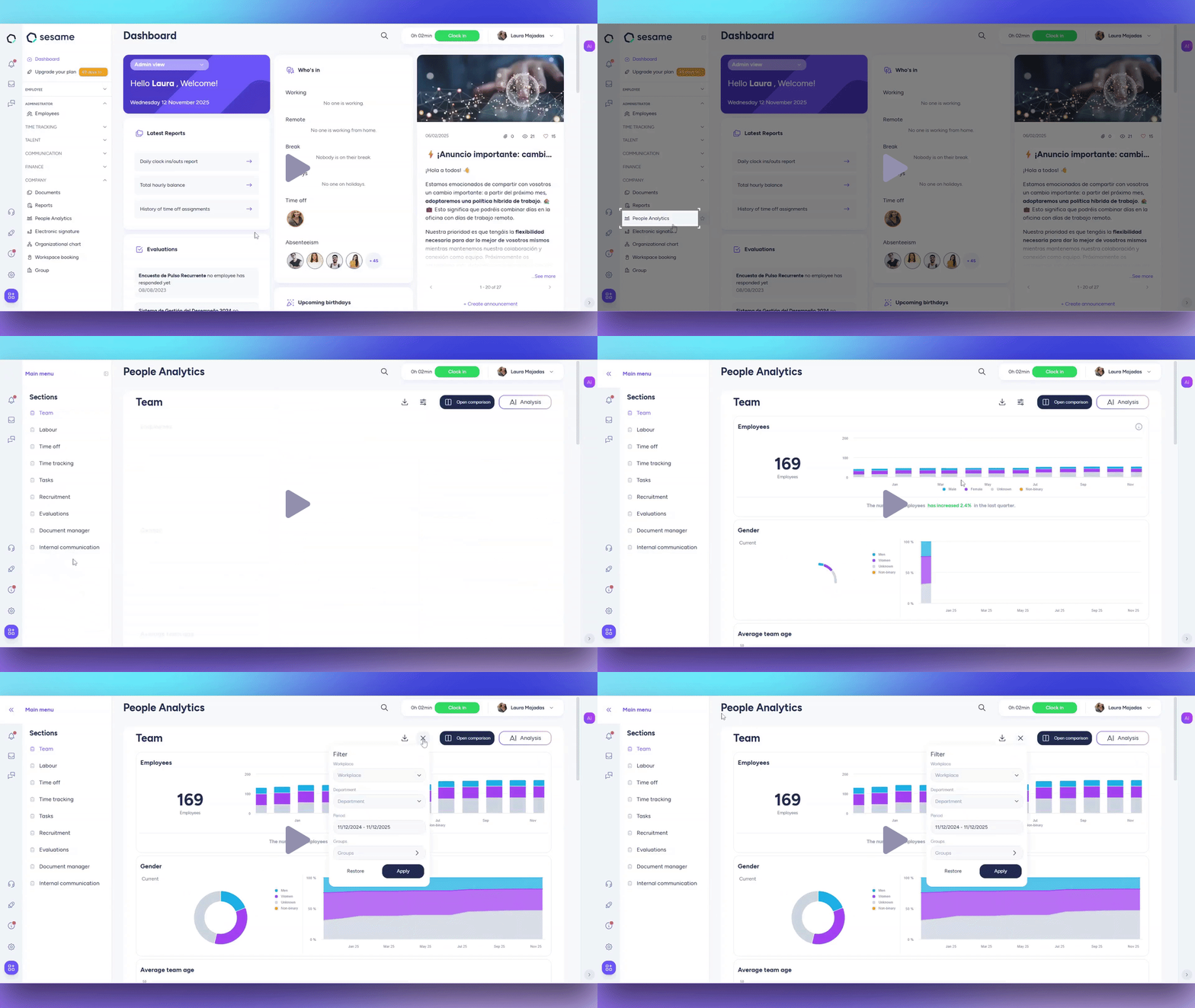
How can I start filtering?
Filters apply to all sections of People Analytics, even if you only want to consult data from one specific area.
To start customizing your reports, choose the filters you need. You can filter by:
- Company
- Workplace
- Department
- Periods
- Groups
Once you’ve applied your filters, the charts will automatically update with the selected information.
If you’d like to compare data between different companies, dates, departments, etc., click here to learn how.
Finally, you can download the charts with a single click or view them directly within the People Analytics section.
Use Sesame's API to send People Analytics data to Business Intelligence tools (Power BI, Tableau, Looker) and get a deeper analysis.